
A timeline that refreshes
For You keeps surfacing new posts, so there's always something you haven't seen yet at the top.
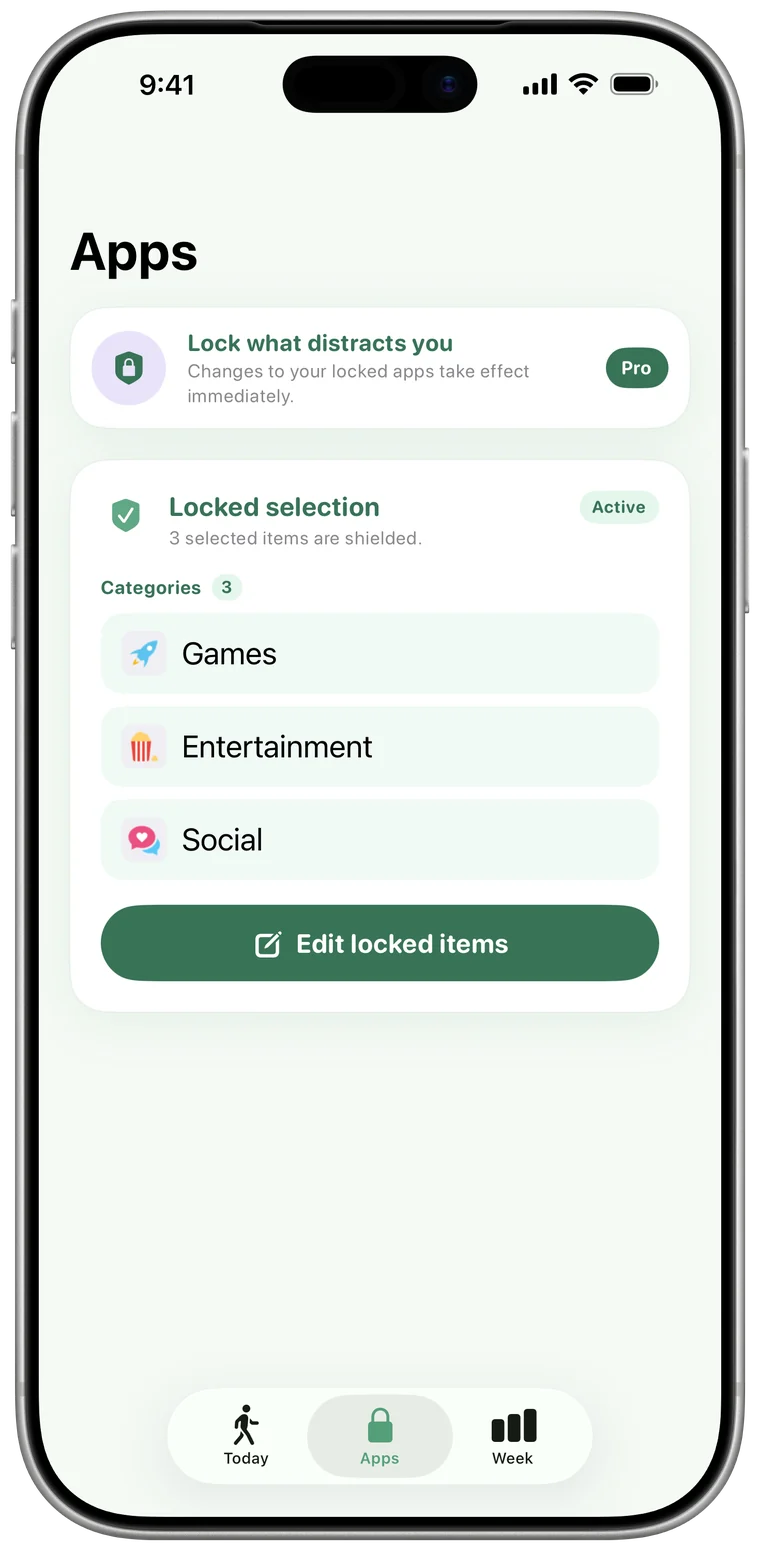
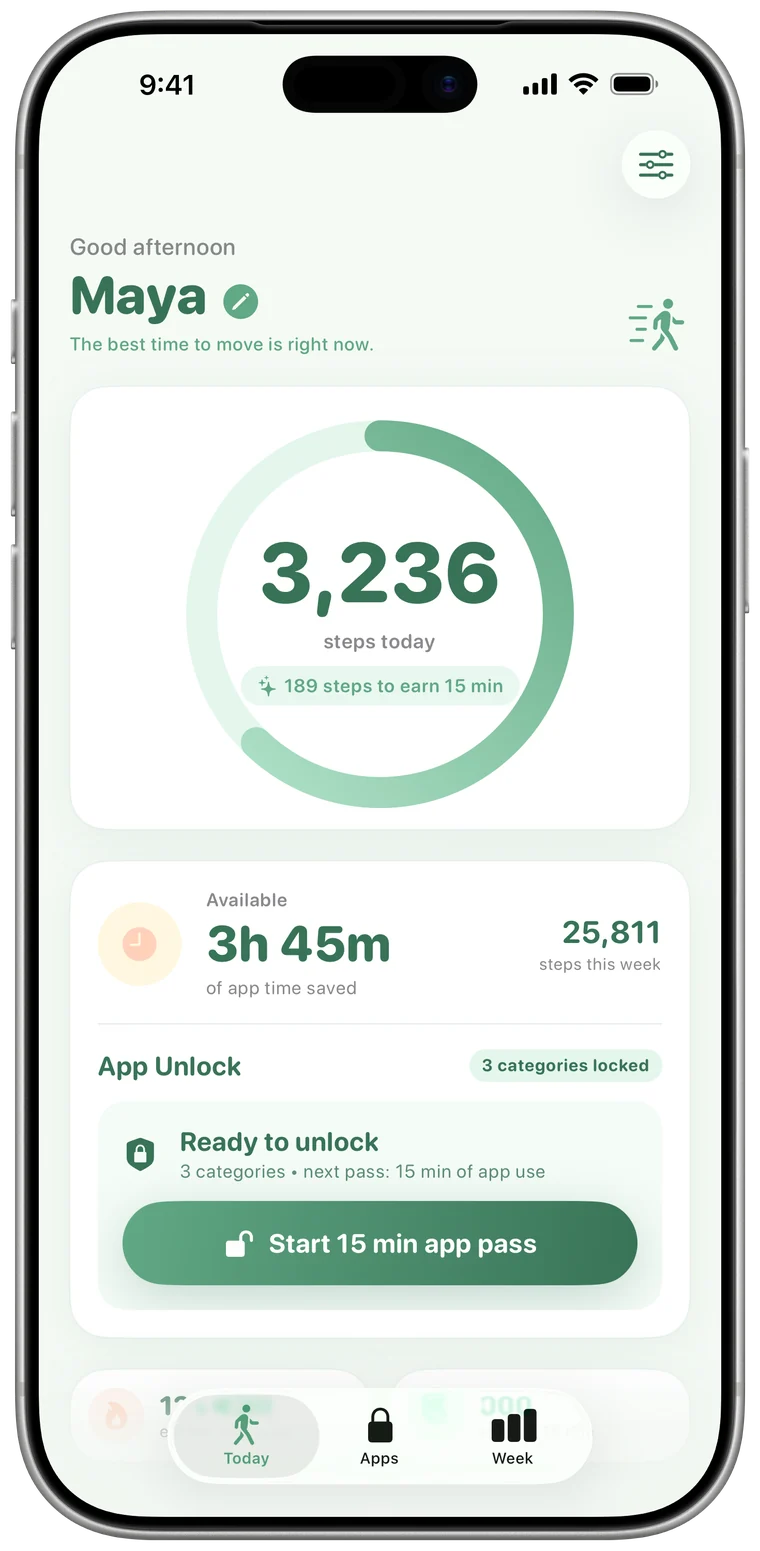
Stride locks X behind your steps. Walk 500 to unlock 15 minutes of your timeline, then X locks again on its own, so a news check stays a news check.
For You keeps surfacing new posts, so there's always something you haven't seen yet at the top.
Breaking news and trending topics make every check feel important, even when it can wait an hour.
Mentions, replies and quote posts pull you back into conversations long after you meant to leave.
The timeline will still be there after a walk. So will you, a little calmer.
500 steps is roughly five minutes of brisk walking. Drag to see what a day of walking buys.
Earns this much X (Twitter)
| Steps | App time |
|---|---|
| 1,000 | 30 min |
| 2,500 | 1h 15m |
| 5,000 | 2h 30m |
| 8,000 | 4 hours |
Minutes bank for the week and reset Monday. They only count down while you're using locked apps.
iOS can already put a timer on X (Twitter). Here's how a step-powered lock is different.
| iOS App Limits | Stride | |
|---|---|---|
| When time is up | A limit screen with Ignore Limit: one more minute, 15 more minutes, or the rest of the day, unless a Screen Time passcode is set. | X (Twitter) stays locked. More time comes from walking. |
| Getting more time | Tap a button. | Walk 500 steps for every 15 minutes. |
| Unused time | A daily limit that starts over each day. | Banked for the week, reset every Monday. |
| Side effect | None. | Every unlock comes with a short walk. |
| Cost | Built into iOS. | Free for one app. Pro for unlimited apps and categories. |
Yes. Stride's free plan locks one app, and X (Twitter) can be that app. Stride Pro ($4.99/month, $19.99/year or $39.99 once) adds unlimited apps and whole categories.
No. Apple's Screen Time framework gives Stride an anonymous token for X (Twitter). Stride can lock and unlock the app, but it can't see your feed, your messages or anything else you do inside it.
No. Stride locks the X (Twitter) app. To block x.com in Safari as well, add it as a restricted website in Settings › Screen Time › Content & Privacy Restrictions.
X (Twitter) locks again on its own. Stride sends a heads-up when one minute is left and another when your minutes are used up.
If you have minutes banked, start a 15-minute pass from the Today tab. If not, a short walk earns more. You can also remove the lock in the Apps tab at any time. Stride is a commitment device, not a cage.
Yes. Twitter was renamed X in 2023, and the iPhone app is now listed as X. Pick X in Apple's app picker to lock it.

Download Stride, lock X (Twitter), and earn it back one walk at a time.
Or search “Stride App Lock” on the App Store.